See It On Your Phone
Your own record of every shift — and a plain-language read on where California labor law says you may be owed more. Free, offline-first, English & Spanish.
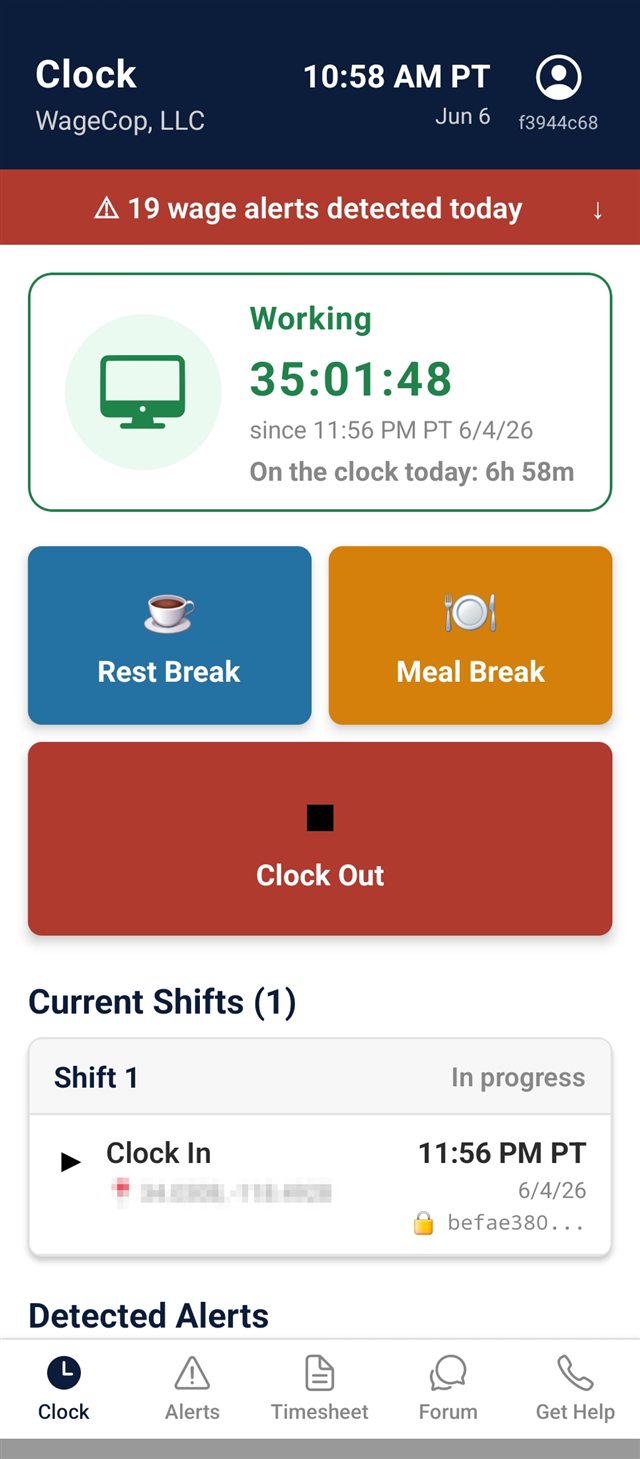
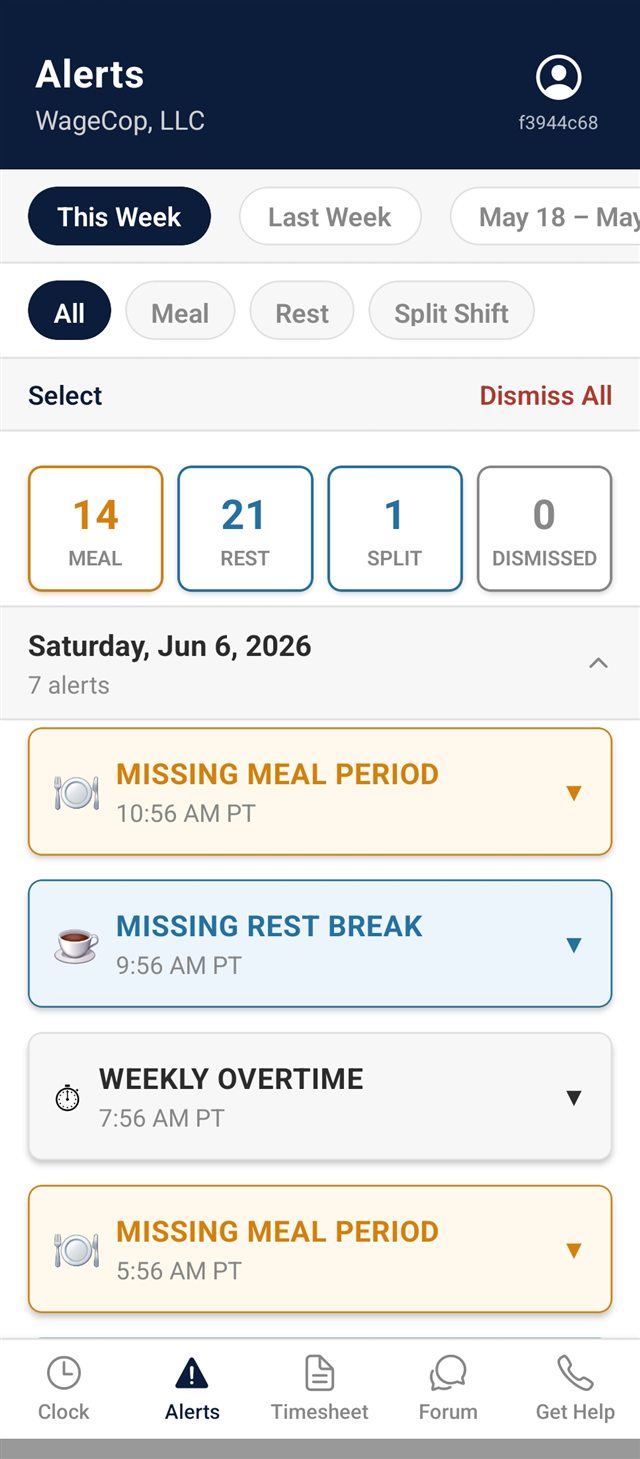
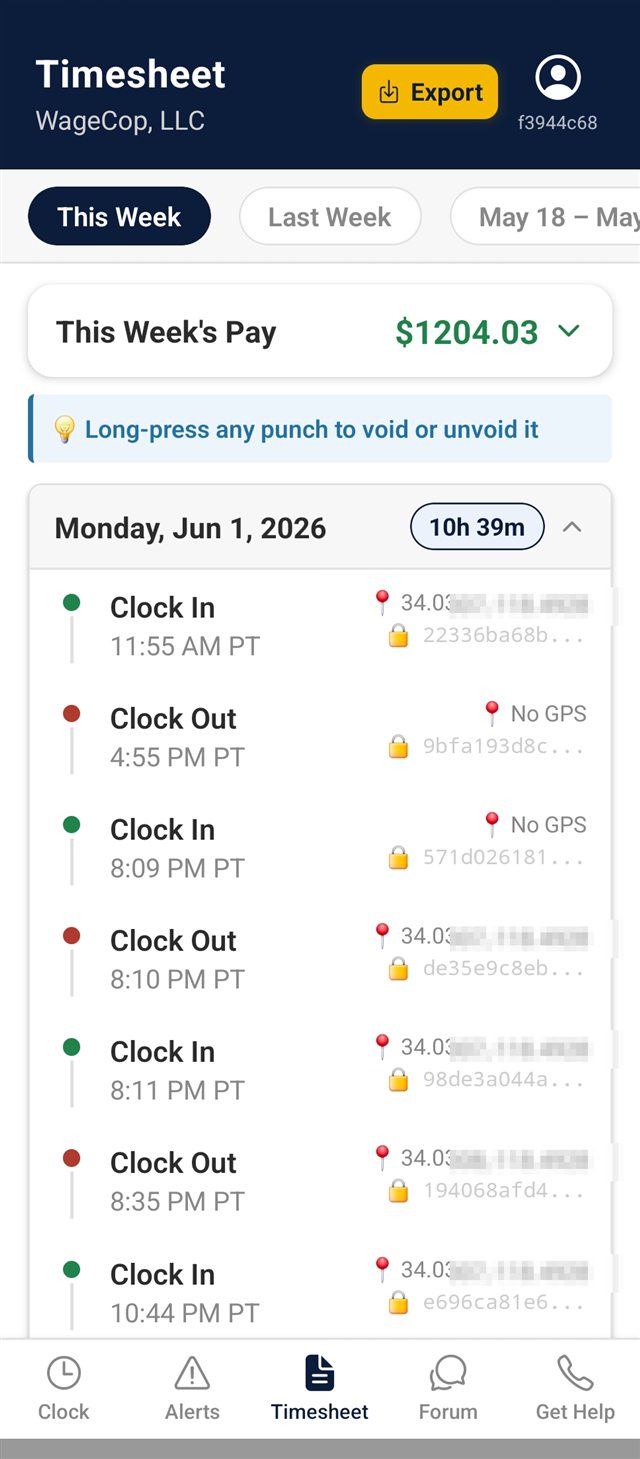
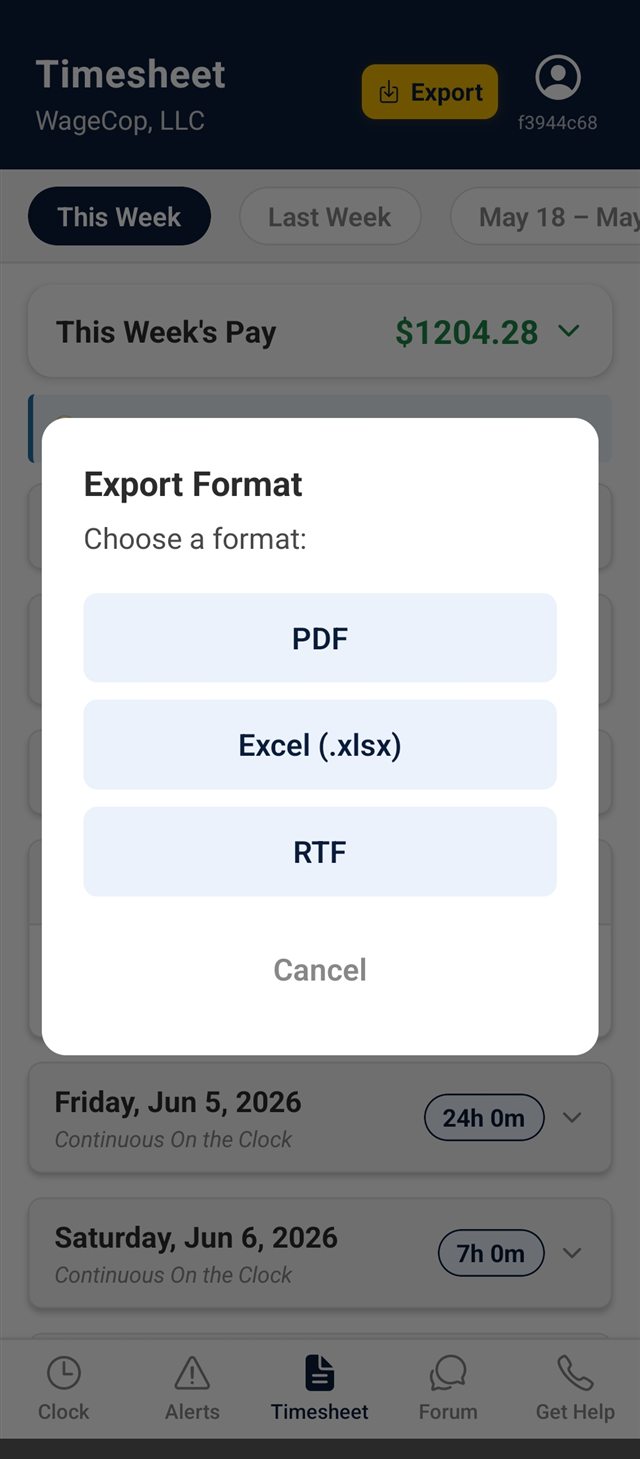
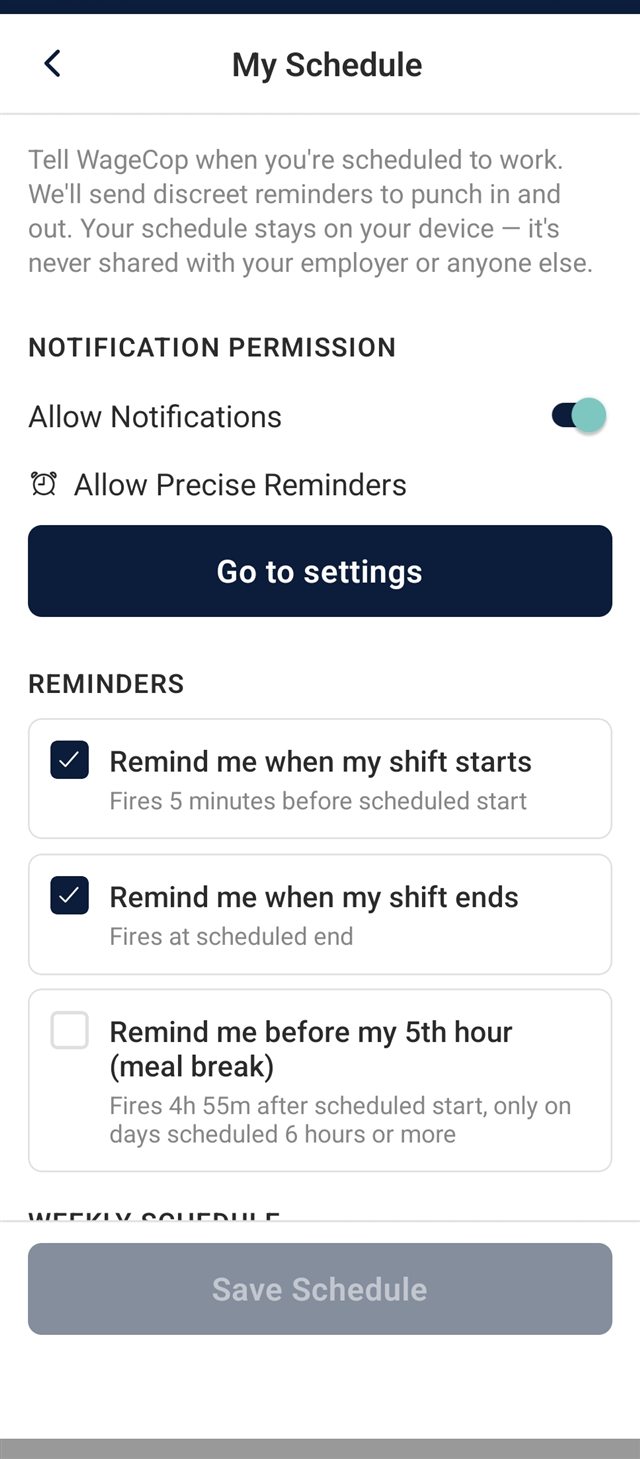
WageCop gives California workers their own independent timesheet — GPS-stamped, cryptographically sealed, stored separately from your employer's payroll, and built to keep working when you're off the grid. When payroll doesn't match reality, you bring your own receipts.
WageCop doesn't reach into your employer's payroll system — nothing can. What it does: build your own GPS-stamped, sealed record of every shift, and flag the moments where California labor law says you may be owed more. When their records and yours don't match, you have proof of what actually happened.
Your sealed, time-stamped punches stand still. When the company's timesheet quietly changes, the discrepancy is right there in black and white.
You worked straight through. WageCop has no meal-out punch from you, and the GPS to prove you never left. The payroll system insists you took a 30.
Log the setup, the cleanup, the bag check, the pre-shift meeting. Every minute you actually worked, GPS-stamped — even the ones the company's clock doesn't show.
When your workday is broken by an unpaid gap of more than 60 minutes, California may owe you an extra hour at minimum wage. WageCop catches the split shift and flags it for you.
You punch 6:58. The system says 7:00. Out at 3:37, rounded to 3:30. Your WageCop record keeps every minute as it actually happened. Minutes per shift, thousands per year.
California pays overtime after 8 hours in a workday — not just 40 in a week. WageCop tracks your day by California's workday definition and flags when premium pay is potentially owed.
Ten minutes of paid rest every four hours. WageCop tracks whether you actually got them — and lets you mark a break as interrupted or denied when the boss waves you back early.
When their clock has a convenient amnesia and your shift vanishes from payroll, your WageCop record is still right there — locked, hashed, and dated.
When a punch reaches our servers, they hash and witness it. Original records are immutable — and when a record needs to be voided, that void is itself audit-logged. There's no quiet edit lane.
WageCop data lives on infrastructure your employer doesn't administer, encrypted in transit and at rest. Each punch carries a SHA-256 hash plus a server-side timestamp, designed to make backdating detectable. When their records and reality don't match, you bring receipts they didn't write.
Every punch captures precise GPS coordinates the moment you tap. Add a quick note while it's fresh — "boss called me back from lunch," "rest break cut short for inventory" — and it's sealed alongside the timestamp. Months later, the context is still there.
Every record gets a cryptographic signature tied to your device and the exact timestamp. Change a single byte and the seal breaks.
Missed meals, missed rest breaks, daily OT, split-shift premium — the app flags potential issues in plain English the moment they occur. The legal call is yours and your attorney's; we just point at the math.
Regular hours, overtime at 1.5×, double time at 2× — WageCop estimates your week's pay against your hourly rate, so you can hold it up against your pay stub. It's an estimate to help you spot a mismatch — not a legal figure of what you're owed. What you're actually owed is a question for you and an attorney.
Punches are saved on your device the second you tap — no signal required. When you're back online, everything syncs. The basement, the parking garage, the loading dock: WageCop keeps working.
Original punches are immutable. If a record needs to be voided, the void appears right in your timesheet — struck through, with the reason you gave. Mistakes are correctable. Rewrites aren't possible. The full history is visible to you, and to anyone you show.
Your own record of every shift — and a plain-language read on where California labor law says you may be owed more. Free, offline-first, English & Spanish.
Setup takes less than a minute. Your employer never sees the app, gets a notification, or has a login. It's your record, on your phone, in your name.
Enter your employer, job title, workweek, and base rate. Under a minute. Your employer never gets a login or a notification — it's your app, not theirs.
Each tap records the time and the GPS; our servers add a SHA-256 hash when the punch reaches them. Originals are immutable. If a record genuinely needs to be voided, that void is audit-logged with a reason — no quiet edits.
Late meal starts, missed rest breaks, daily OT, split-shift premium — flagged as potential issues in plain English. Export your records anytime and bring them to a licensed California labor attorney of your own choosing.
WageCop is free. Your records are always yours — view them and export them, recent shifts and older history alike, without paying a cent. We never lock your own data behind a paywall.
Verified Wage Record packets are free for a limited time. We're waiving the $19.99 charge for now — generate a sealed, verified export at no cost.
Track every shift, see your alerts, and export your own records as a plain file — recent shifts and your older history alike. Always free, never withheld.
Free for a limited time
A sealed PDF or Excel packet of the same records — plus the tamper-evident SHA-256 seal, GPS, official timestamps, and a per-workweek pay summary. You're paying for the sealing and formatting, never for your own data. It's a snapshot of the records you have at that moment, so it doesn't include shifts you haven't worked yet.
"Everyone takes a 30-minute unpaid lunch, even if you work through it." "We don't pay split-shift premium here." "It's just how it is at this store."
When your boss talks like that, it's hard to know if you're the one missing something. Inside WageCop, there's a forum where workers share what they're seeing — including coworkers at your own employer.
Posts are tagged by issue (meal break, rest break, overtime) and filterable to just your employer. Stick to the facts of your own experience; the forum is a place to compare notes, not to make claims about people you don't know. WageCop moderates for defamatory content. Your records are still yours — sharing them with an attorney is always a separate decision.
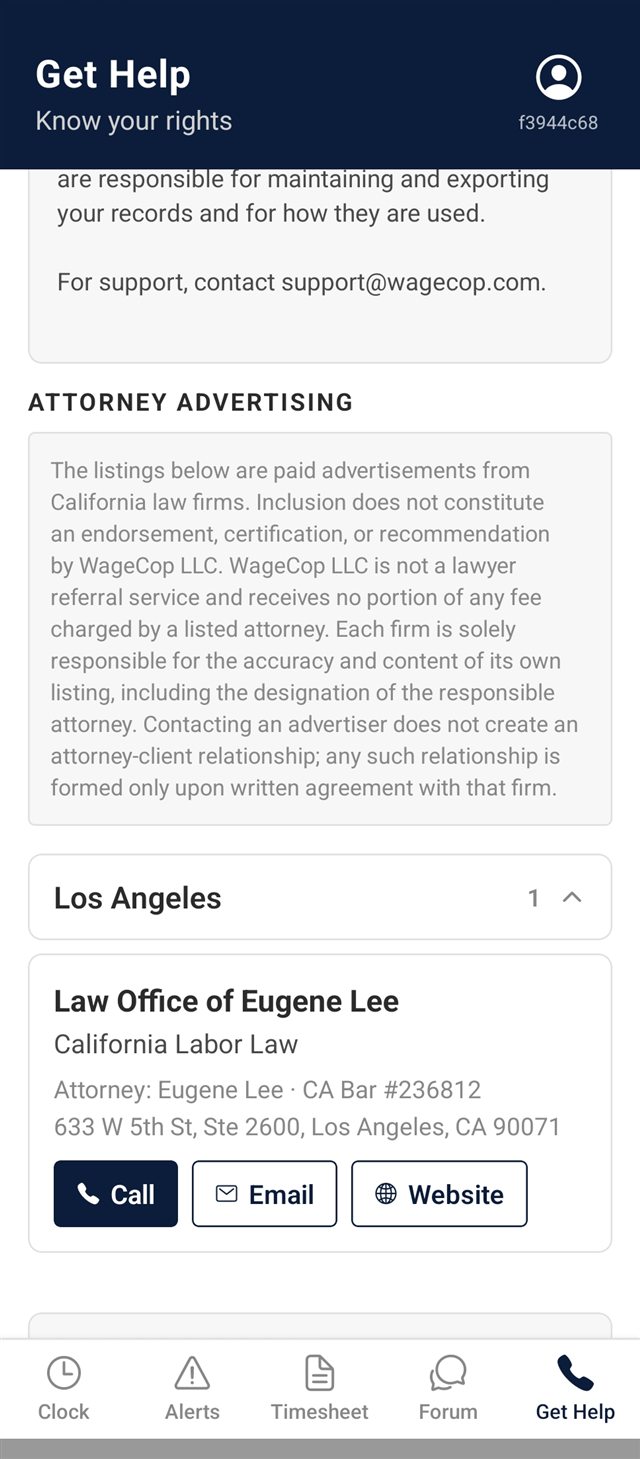
California labor attorneys listed in the WageCop app — available to review your wage records.
WageCop does not recommend lawyers, refer users to specific law firms, or match users with legal representation. The listings below are not an endorsement. If you believe you may be owed unpaid wages, consult a licensed California labor attorney of your own choosing.
Reach California workers who have already documented potential wage and hour issues and are actively looking for legal representation. Listings are flat-rate and displayed in the WageCop app filtered by region. Contact us at support@wagecop.com for current rates.
Apply for a ListingStep-by-step guides covering everything from clocking in to exporting your records and finding an attorney. Plays in your browser — no third-party services.
Free to download and use. Available for iPhone and Android.


iOS: Requires iPhone or iPad running iOS 15.1 or later.
Android: Requires Android 7.0 or later.

If WageCop flags potential issues, know this: you have rights, and you have options. Keep your records. Review your options. Consult with a licensed California labor attorney to understand what your records mean for your specific situation.